:
💁♀️ How to Return or Cancel Your Order on Doviba
At Doviba, we want your shopping experience to be smooth and worry-free. If something doesn’t fit right or you need to cancel your order, don’t worry — we’ve made the return and cancellation process super simple! 💫
Here’s a step-by-step guide to help you through it 👇
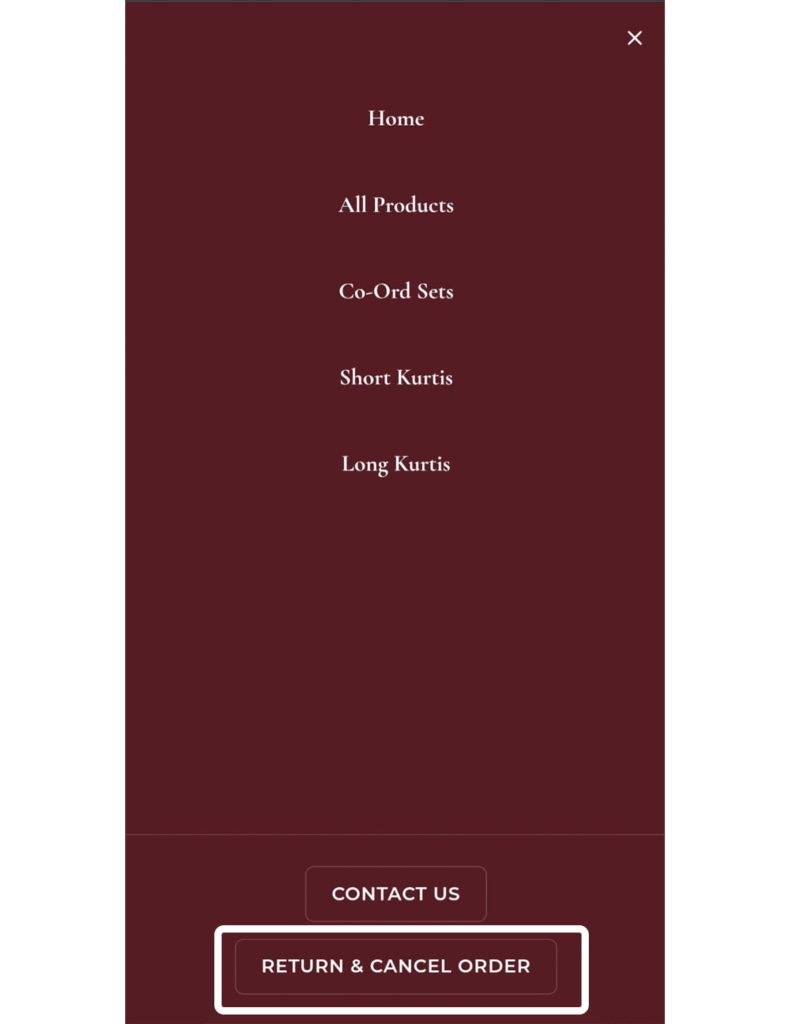
🩰 Step 1: Open the Menu
On the top left corner of the Doviba website, you’ll see three small lines (☰) — that’s the menu button.
Click on it to open the main menu.

🛍️ Step 2: Select “Return & Cancel Order”
From the menu, scroll down and click on “Return & Cancel Order.”
This will take you to our easy-to-use request form.
📝 Step 3: Fill in Your Order Details
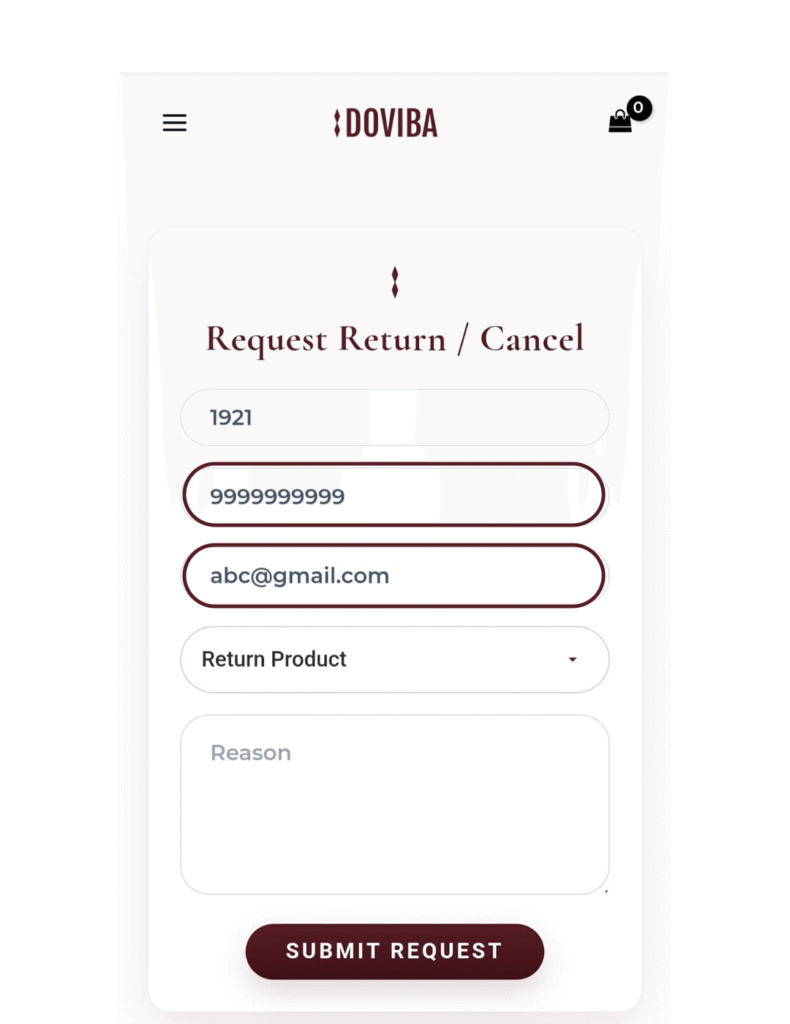
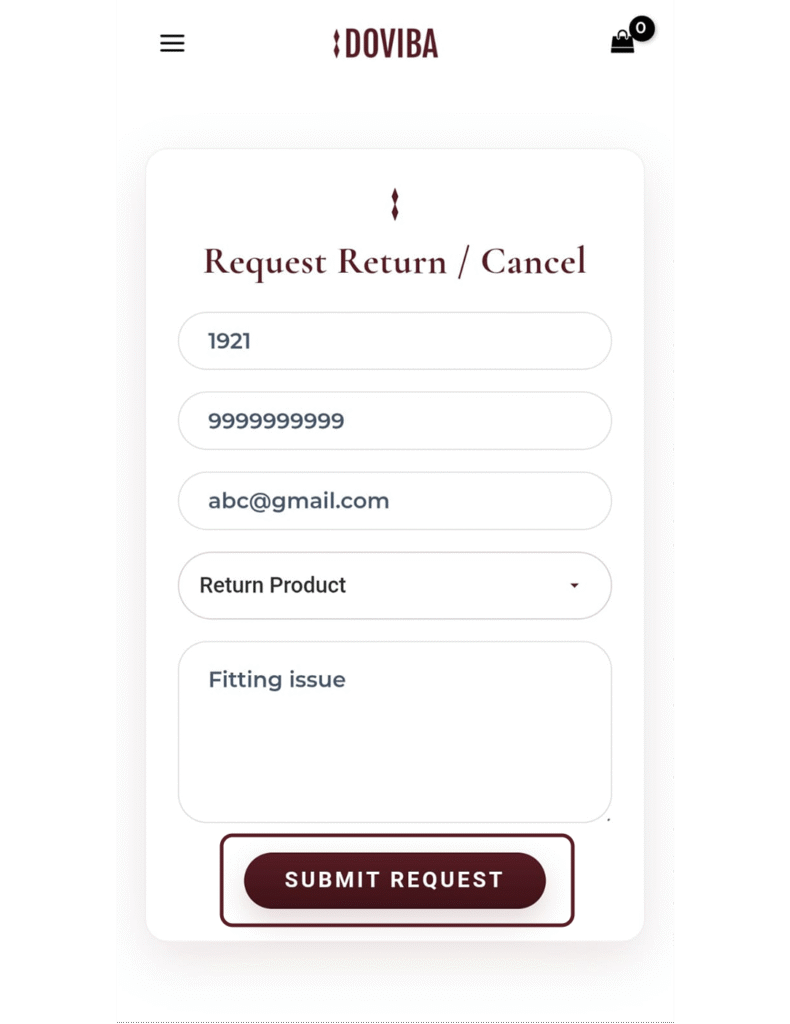
Now, you’ll see a simple form titled “Request Return / Cancel.”
Here’s what you need to do:
- Enter your Order Number — You can find this in the confirmation email or SMS from Doviba (for example, Order #1921).
- Enter your Mobile Number — This helps us contact you if needed.
- Enter your Email ID — For confirmation and updates about your request.
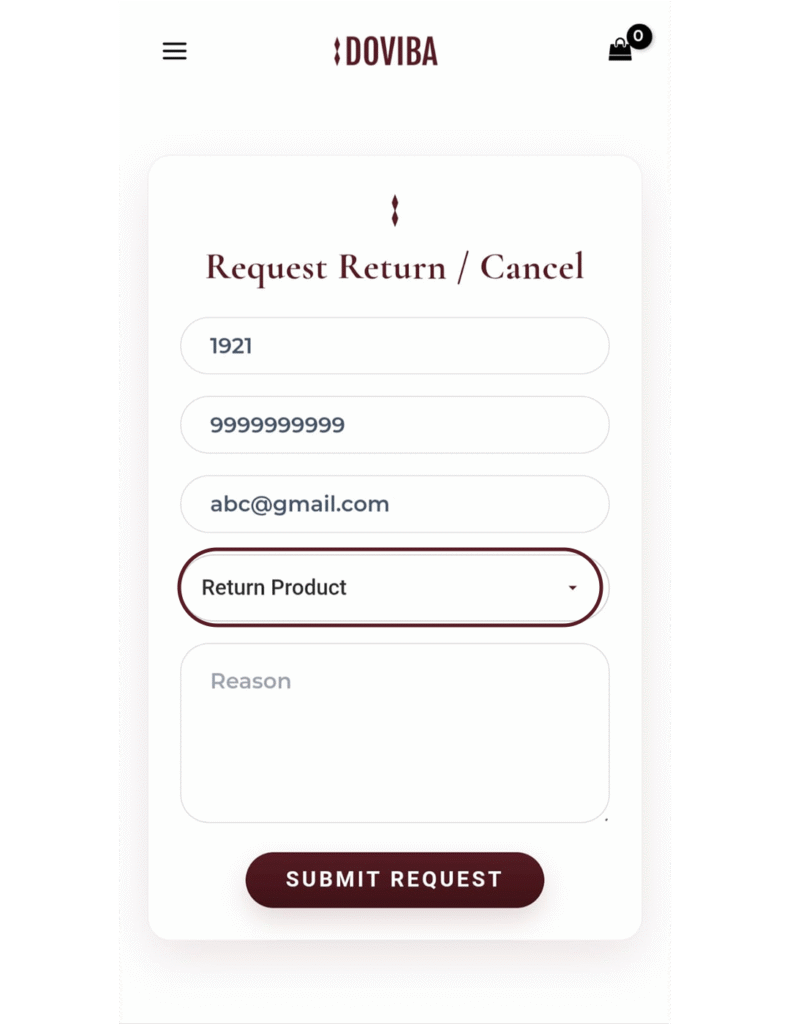
🔄 Step 4: Choose an Option
From the dropdown menu, select whether you’d like to:
- Return Product, or
- Cancel Order
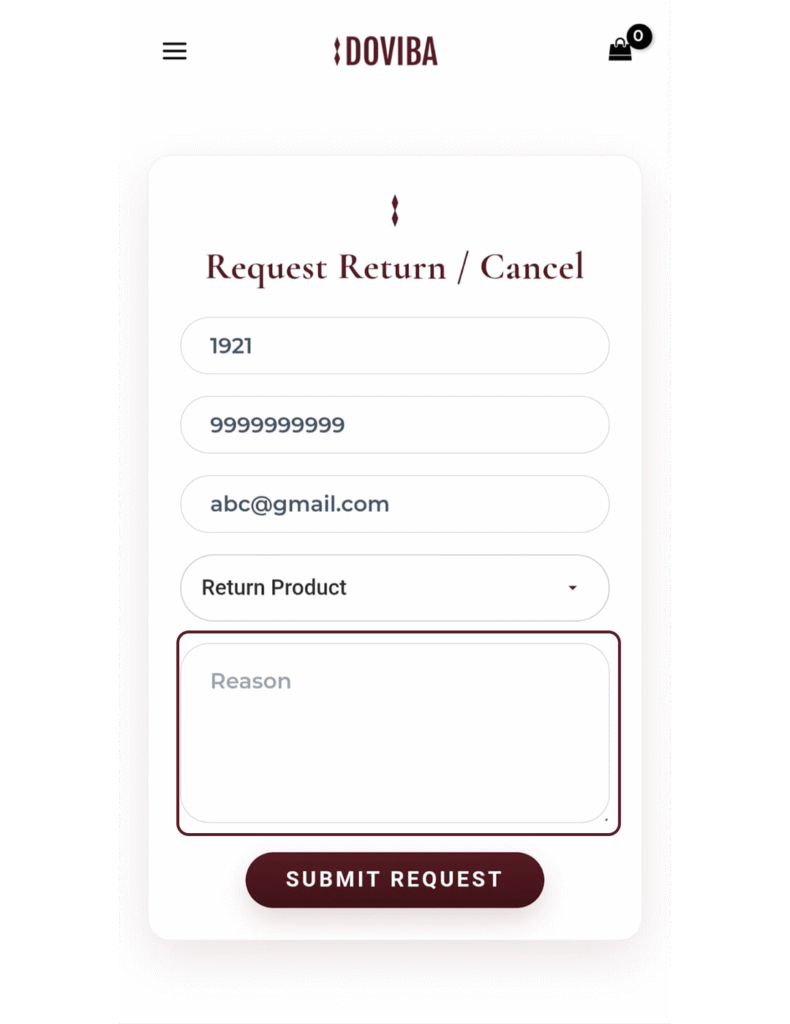
💬 Step 5: Add a Reason
In the “Reason” box, write a short note about why you’re returning or canceling — for example, “Fitting issue” or “Changed my mind.”
🚀 Step 6: Submit Your Request
Once all details are filled in, click on the “Submit Request” button.
That’s it! ✅
Our team will review your request and get in touch with you shortly to complete the process.
💕 We’re Here to Help
At Doviba, customer happiness is our priority. If you have any questions, feel free to reach out to our support team through the Contact Us option in the menu.
If you need any other help, simply fill out the Contact Us form, and our team will get back to you soon.
Your request will be accepted within 24 hours. ⏰